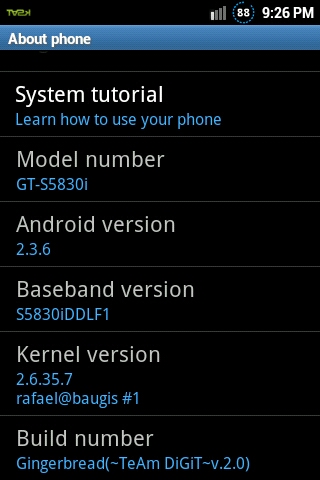
Caution: This update should be strictly applied to the devices which are having the model number as ACE S5830i and is not for S5830 model. If you still continue to update in your S5830 model, then we should not be held responsible for any damage happened.
.
Disclaimer: Neither this website, nor developer should be held responsible for any damage happened to your device in the process of following the instructions mentioned in this article. It’s very unlikely that there will be any issues but just in case if at all there are any issues then we are committed to help you in solving the same.
I'm not responsible for bricking your phone but that probably wont happen..
Enable the USB Debugging in your Galaxy ACE S5830i from the path “Settings > Applications > Development > USB debugging”. The USB Debugging option should be ticked.
Caution: This update should be strictly applied to the devices which are having the model number as ACE S5830i and is not for S5830 model. If you still continue to update in your S5830 model, then we should not be held responsible for any damage happened.
.
Disclaimer: Neither this website, nor developer should be held responsible for any damage happened to your device in the process of following the instructions mentioned in this article. It’s very unlikely that there will be any issues but just in case if at all there are any issues then we are committed to help you in solving the same.
I'm not responsible for bricking your phone but that probably wont happen..
Enable the USB Debugging in your Galaxy ACE S5830i from the path “Settings > Applications > Development > USB debugging”. The USB Debugging option should be ticked.